5 Settings
Configure visibility controls, rollback protection, backup retention, import/export tools and appearance settings.
What is Settings?
The Settings page provides centralized control over updater visibility, rollback protection, backup management, import/export functionality and user interface preferences.
The Settings page provides centralized control over updater visibility, rollback protection, backup management, import/export functionality and user interface preferences.
Step 1: Plugin Settings & Appearance
The Plugin Settings panel provides quick access to advanced configuration options. You can also switch between Light Mode and Dark Mode using the appearance toggle located in the top-right corner.

| Option | Description |
|---|---|
| Dark / Light Mode | Switch between light and dark interface themes. |
| Advanced Configuration | Access all updater configuration modules. |
Step 2: Visibility Settings
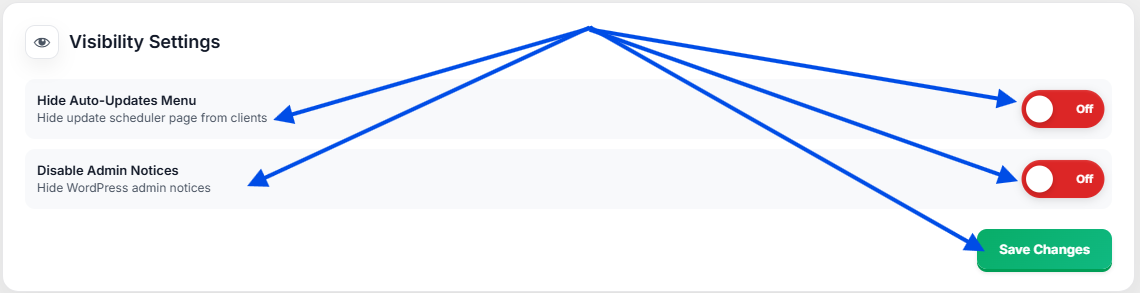
Visibility Settings allow administrators to control which updater features remain visible inside the WordPress dashboard.
| Setting | Purpose |
|---|---|
| Hide Auto-Updates Menu | Hide the update scheduler interface from clients. |
| Disable Admin Notices | Hide updater notifications from the WordPress admin area. |
| Save Changes | Apply visibility preferences immediately. |
Step 3: Rollback Settings & Backup Retention
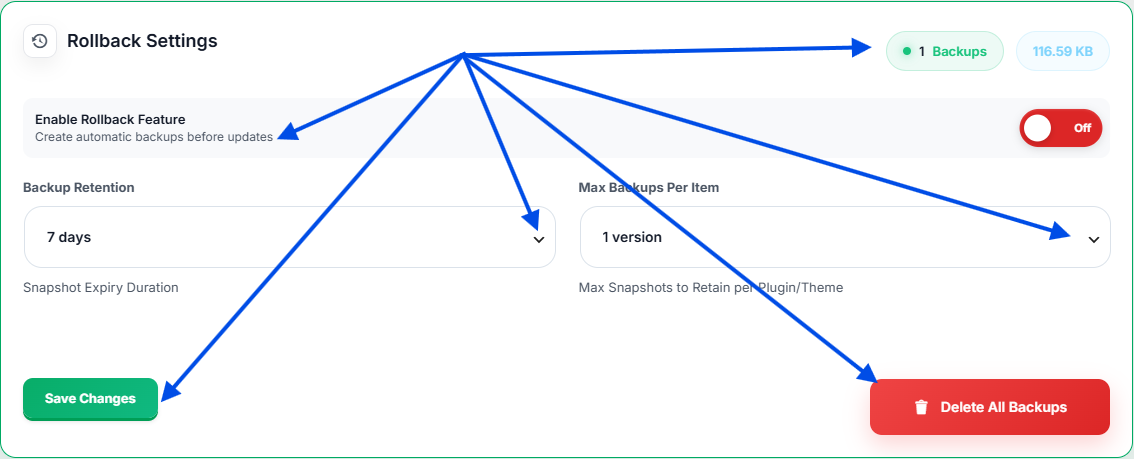
Rollback Settings control automatic backup creation, retention duration and stored snapshot limits.
| Option | Description |
|---|---|
| Enable Rollback Feature | Create backups automatically before updates. |
| Backup Retention | Choose how long backups are stored. |
| Max Backups Per Item | Limit stored versions for each product. |
| Total Backups | Displays the number of stored backups. |
| Delete All Backups | Remove all stored backup snapshots. |
Important:
Disabling rollback protection prevents automatic backup creation before updates.
Disabling rollback protection prevents automatic backup creation before updates.
Step 4: Export & Import Configuration
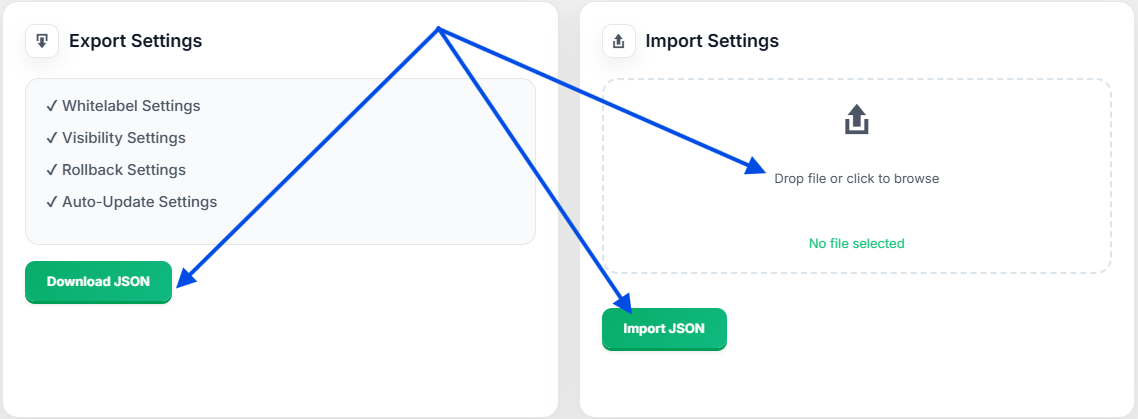
Export and Import tools allow administrators to migrate settings between websites without manual configuration.
| Tool | Description |
|---|---|
| Download JSON | Export all updater settings into a JSON file. |
| Import JSON | Restore previously exported configuration files. |
| Configuration Migration | Move settings between websites quickly. |
Settings Benefits
- Centralized updater management
- Automatic rollback protection
- Flexible backup retention
- Visibility control for client sites
- Easy configuration migration
- Dark and Light mode support