3 Manage License
Manage product activations, connected domains, license status and expiration details.
What is Manage License?
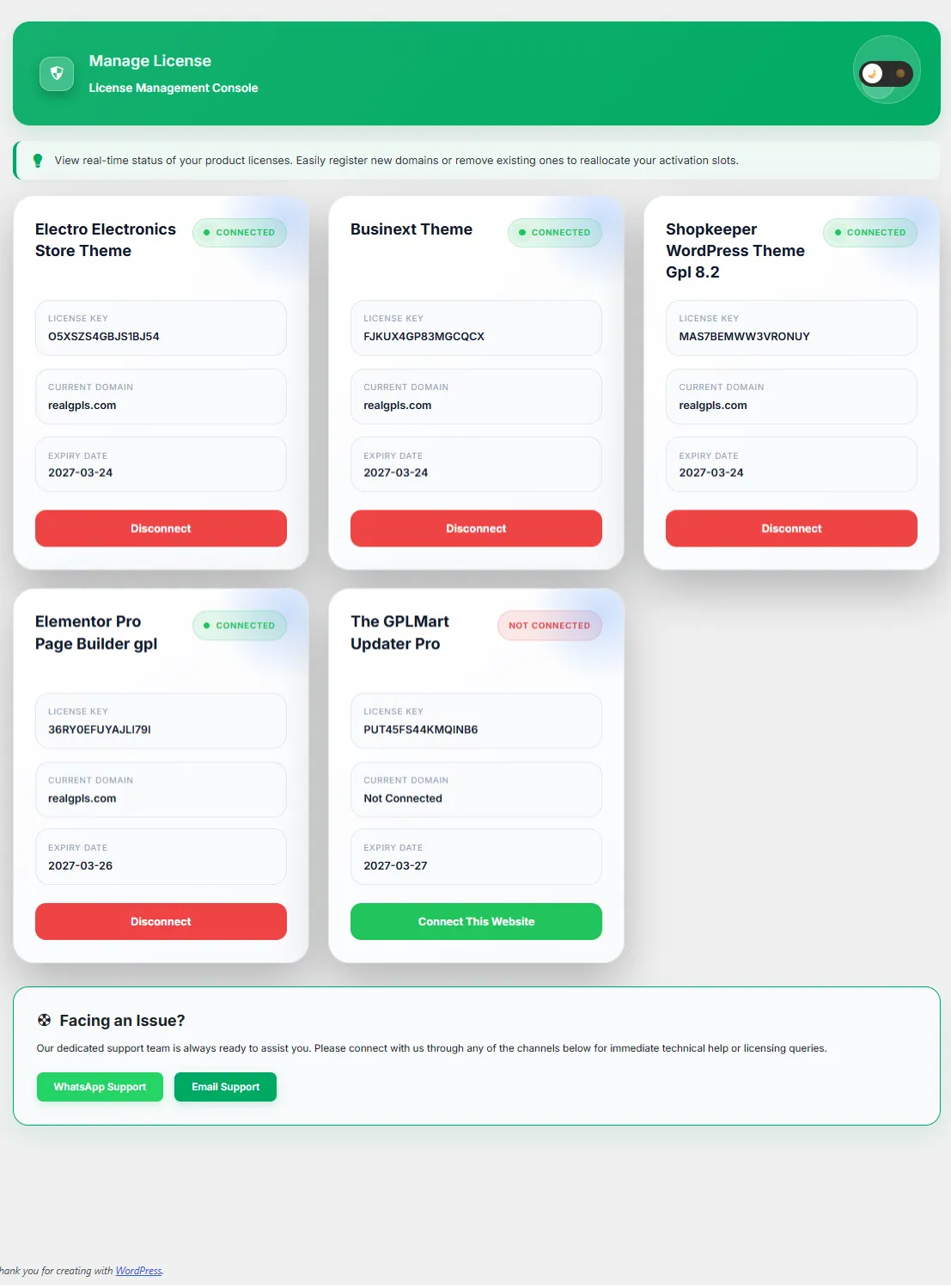
The License Management Console allows you to connect products to your website, view activation status, manage domains and monitor license validity.
The License Management Console allows you to connect products to your website, view activation status, manage domains and monitor license validity.
Important:
A valid license connection is required for update delivery, cloud synchronization and product verification.
A valid license connection is required for update delivery, cloud synchronization and product verification.
| Field | Description |
|---|---|
| License Key | Unique activation key assigned to a purchased product. |
| Current Domain | The website currently connected to the license. |
| Expiry Date | Shows when license access expires. |
| Status Badge | Displays Connected or Not Connected state. |
License Status Types
- Connected → License is active and updates are available.
- Not Connected → License exists but is not currently attached to this website.
| Action | Purpose |
|---|---|
| Connect This Website | Attach the license to the current domain. |
| Disconnect | Remove the current domain connection. |
| View License | Review assigned license information. |
Connected License Benefits
- Automatic update delivery
- Cloud synchronization
- Secure license verification
- Premium product access
- Priority support eligibility
Before Migrating a Website
If you plan to move your website to another domain or server, disconnect the current domain first to free the activation slot.
If you plan to move your website to another domain or server, disconnect the current domain first to free the activation slot.
| Common Issue | Recommended Solution |
|---|---|
| Cannot Receive Updates | Verify that the license is connected. |
| License Not Showing | Refresh synchronization from the Dashboard. |
| Connection Failed | Verify login credentials and license validity. |
| Wrong Domain Connected | Disconnect the domain and reconnect correctly. |