1 Dashboard
Version Status & Updates
What is Dashboard?
The Dashboard is the central control panel of The GPLMart Updater Pro.
The Dashboard is the central control panel of The GPLMart Updater Pro.
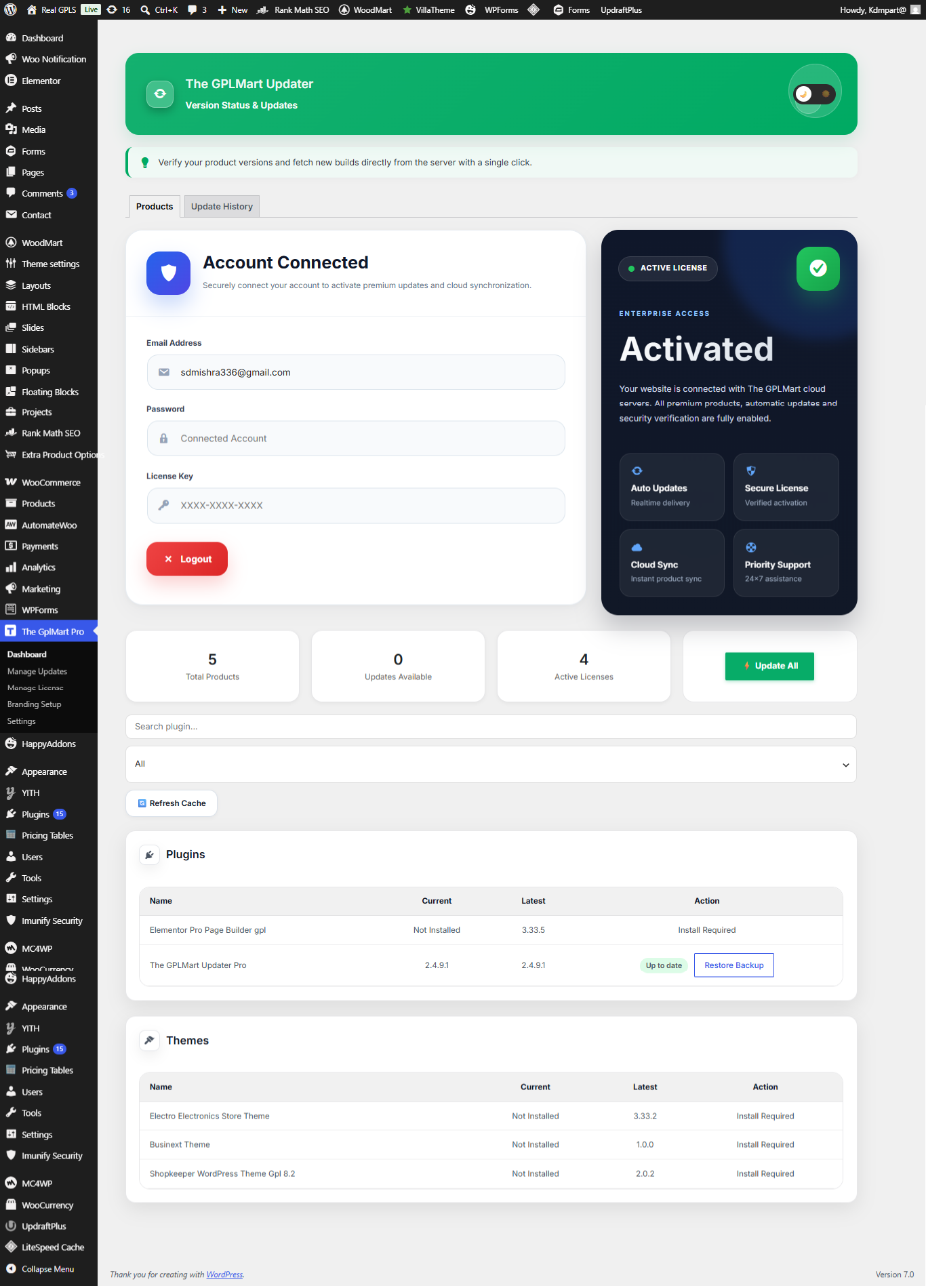
| Feature | Description |
|---|---|
| Products | View all available plugins and themes. |
| Updates | Check available updates. |
| Licenses | Manage product activations. |
Dashboard Overview
The Dashboard provides a centralized view of all licensed products, update availability, activation status, backup options, and account connectivity.
The Dashboard provides a centralized view of all licensed products, update availability, activation status, backup options, and account connectivity.
| Dashboard Area | Purpose |
|---|---|
| Account Connected | Shows connected GPLMart account and license authentication status. |
| License Status Card | Displays activation status and available services. |
| Statistics Cards | Total products, available updates, and active licenses. |
| Search Products | Quickly find plugins and themes. |
| Update All | Install all available updates with one click. |
| Refresh Cache | Force product synchronization and version refresh. |
Important:
If newly purchased products do not appear immediately, use the Refresh Cache button to synchronize your website with GPLMart servers.
If newly purchased products do not appear immediately, use the Refresh Cache button to synchronize your website with GPLMart servers.
Product Status Indicators
- Install Required → Product is purchased but not installed.
- Update Available → A newer version is available.
- Up To Date → Latest version already installed.
- Restore Backup → Previous backup is available for rollback.
Dashboard – Login Required State
When does this screen appear?
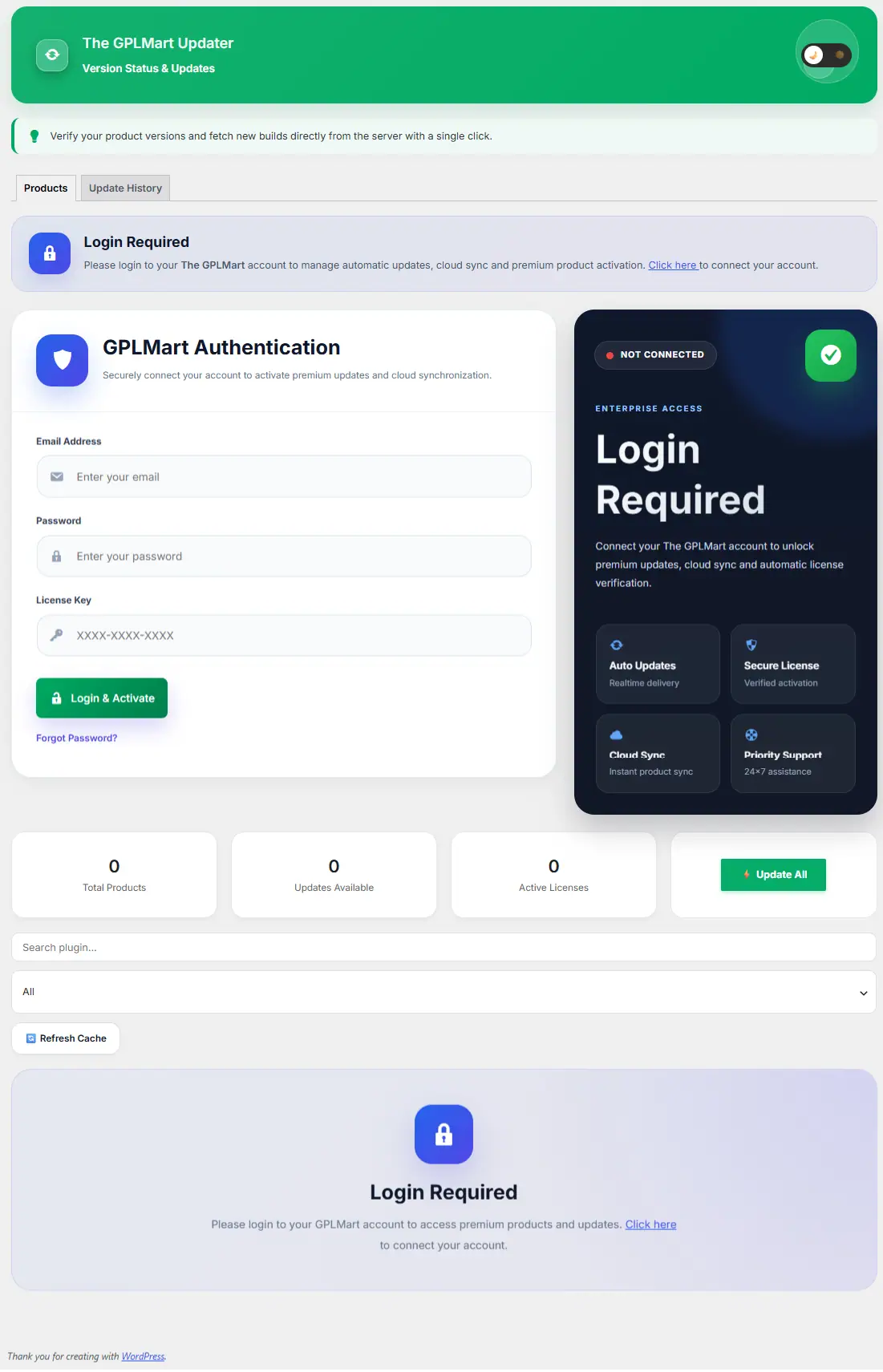
This screen is displayed when the website has not yet been connected to a GPLMart account or when authentication has expired.
This screen is displayed when the website has not yet been connected to a GPLMart account or when authentication has expired.
| Section | Description |
|---|---|
| GPLMart Authentication | Login form used to connect your GPLMart account. |
| Email Address | Registered GPLMart account email. |
| Password | GPLMart account password. |
| License Key | Valid GPLMart license key. |
| Login & Activate | Verifies account and activates premium services. |
| Enterprise Access Panel | Displays premium features available after activation. |
| Products Area | Remains locked until authentication succeeds. |
Important:
Updates, cloud synchronization, license management, and premium product access require a successful GPLMart account connection.
Updates, cloud synchronization, license management, and premium product access require a successful GPLMart account connection.
After Successful Login
- Products become visible.
- License information is synchronized.
- Update checks become available.
- Cloud synchronization is activated.
- Premium downloads are unlocked.