1 Dashboard
Version Status & Updates
What is Dashboard?
The Dashboard is the central control panel of The GPLMart Updater Pro.
The Dashboard is the central control panel of The GPLMart Updater Pro.
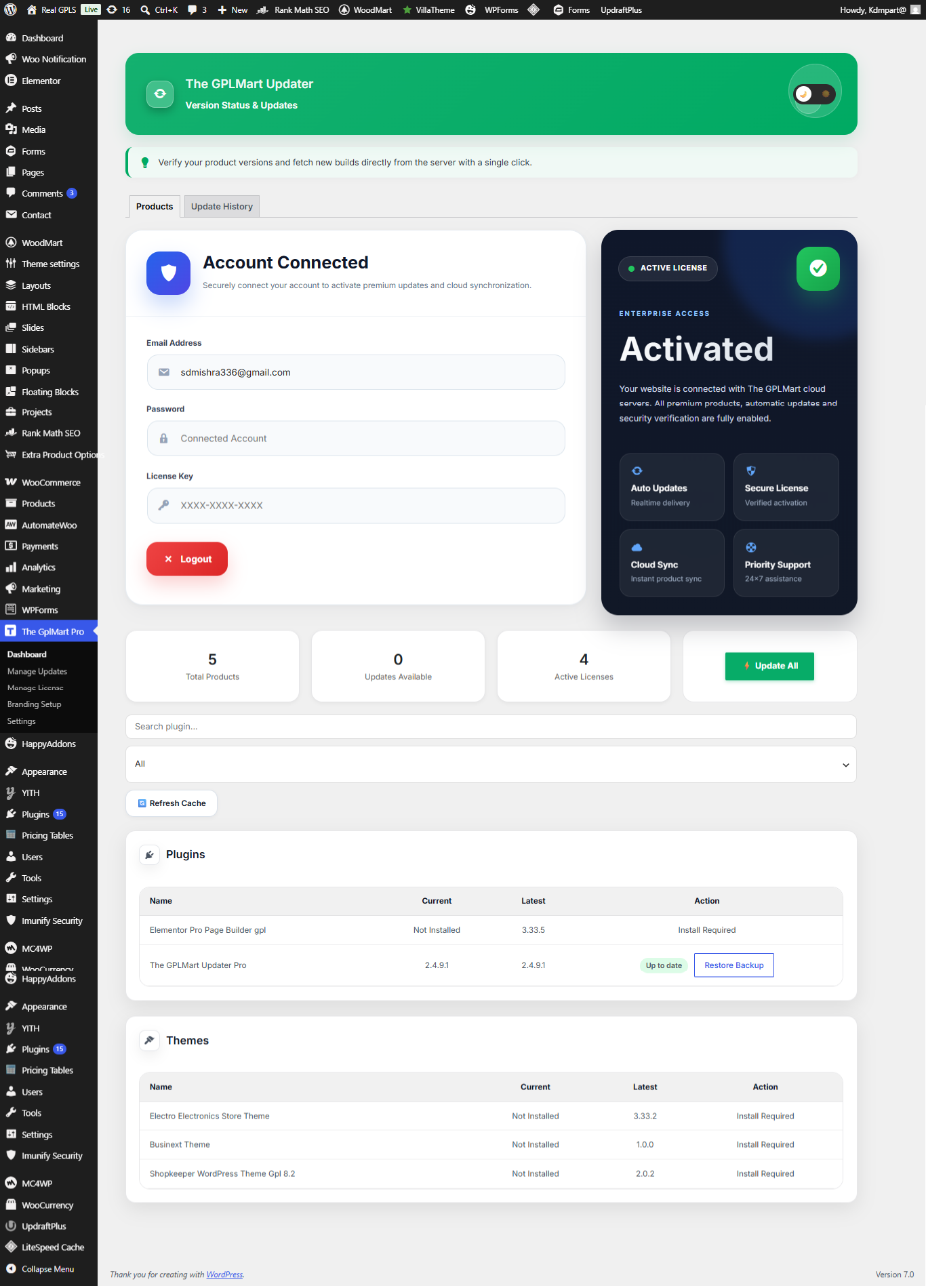
| Feature | Description |
|---|---|
| Products | View all available plugins and themes. |
| Updates | Check available updates. |
| Licenses | Manage product activations. |
Dashboard Overview
The Dashboard provides a centralized view of all licensed products, update availability, activation status, backup options, and account connectivity.
The Dashboard provides a centralized view of all licensed products, update availability, activation status, backup options, and account connectivity.
| Dashboard Area | Purpose |
|---|---|
| Account Connected | Shows connected GPLMart account and license authentication status. |
| License Status Card | Displays activation status and available services. |
| Statistics Cards | Total products, available updates, and active licenses. |
| Search Products | Quickly find plugins and themes. |
| Update All | Install all available updates with one click. |
| Refresh Cache | Force product synchronization and version refresh. |
Important:
If newly purchased products do not appear immediately, use the Refresh Cache button to synchronize your website with GPLMart servers.
If newly purchased products do not appear immediately, use the Refresh Cache button to synchronize your website with GPLMart servers.
Product Status Indicators
- Install Required → Product is purchased but not installed.
- Update Available → A newer version is available.
- Up To Date → Latest version already installed.
- Restore Backup → Previous backup is available for rollback.